
Self-hosted OpenClaw vs ClawCloud: The Real Cost Breakdown (2026)
Is self-hosting OpenClaw actually cheaper than ClawCloud? We break down VPS fees, LLM API costs, time investment, and maintenance overhead — with a decision framework for 4 user types.

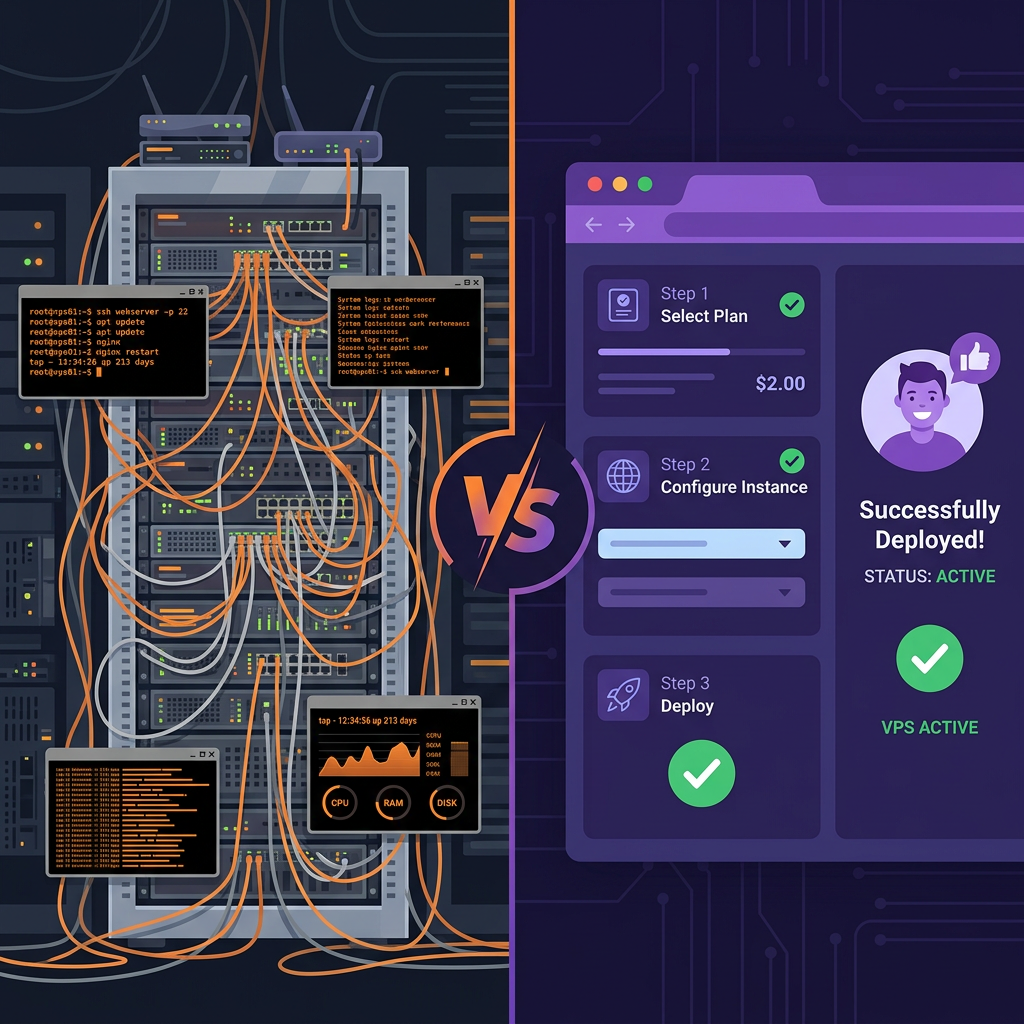
The OpenClaw self-hosting community is thriving. Search any Taiwan tech forum or Threads thread and you'll find developers sharing their setups, troubleshooting VPS issues, and comparing monthly bills. But one question keeps coming up: is self-hosting actually cheaper than using a managed service like ClawCloud?
The short answer: it depends on whether you count your time as money.
Self-hosting OpenClaw: The Full Cost Picture
The often-cited "$0–$8/month" figure for self-hosting OpenClaw is accurate — but only for direct infrastructure costs. Let's break down everything you actually pay.
💰 Direct Monetary Costs
VPS / Server: $0–$7/month
- Oracle Cloud Always Free tier (4 OCPU + 24 GB RAM): $0 — but slots are competitive, and billing setup is required
- Hetzner CX22 (2 vCPU, 4 GB RAM): ~$4/month — the most popular choice for OpenClaw users in Asia
LLM API Costs: $1–$20+/month
- GPT-OSS-120B (OpenAI's open-weight 117B MoE, outperforms o4-mini on TauBench): ~$2–$3/month for daily use at $0.039/$0.10 per 1M tokens
- GPT-5 series: $5–$50+/month depending on usage
- Hidden cost: Heartbeat. OpenClaw's default heartbeat mechanism fires an LLM request every 30 minutes to check scheduled tasks — consuming 8K–15K input tokens each time. On flagship models, this alone can add $30–$100/month. Disable it (
every: 0m) or enableisolatedSession + lightContextto cut this by 90%.
Total direct cost estimate: $3–$30+/month
⏰ The Hidden Time Cost
This is what most cost comparisons leave out entirely.
| Task | Time Required |
|---|---|
| Initial setup (VPS + Docker + env config) | 1–4 hours |
| OpenClaw version updates | ~30 min each, 1–2× per month |
| Troubleshooting (service drops, OOM crashes) | 1–3 hours/month |
| Webhook reconfiguration (LINE/Telegram) | 1–2 hours per integration |
At a conservative $10/hour equivalent, monthly maintenance adds $10–$50 in time costs that never show up on your cloud bill.
🔧 Technical Barrier
Self-hosting requires comfort with:
- SSH access and basic Linux commands
- Docker Compose configuration
- YAML config files and environment variables
- Network troubleshooting (DNS, reverse proxy, SSL)
This is a non-issue for developers. For a small business owner or content creator who just wants AI automation, it's a significant barrier.
ClawCloud: What Does It Actually Cost?
ClawCloud uses a credit-based pricing model. New accounts start with 1,000 free credits — no credit card required. You pay as you go, only for what you use.
Credit Usage Estimates
- Light use (10–20 conversations/day): ~50–100 credits/day
- Medium use (50–100 conversations/day + auto-replies): ~150–300 credits/day
- Small business LINE auto-reply: ~200–500 credits/day
The free 1,000 credits are enough to test your actual usage patterns for several days before committing to a plan.
If you want to connect your AI assistant to LINE in under 3 minutes, here's the full guide: Set Up a 24/7 AI Assistant for LINE Without a Server — no coding required.
Side-by-Side Comparison: 4 User Types
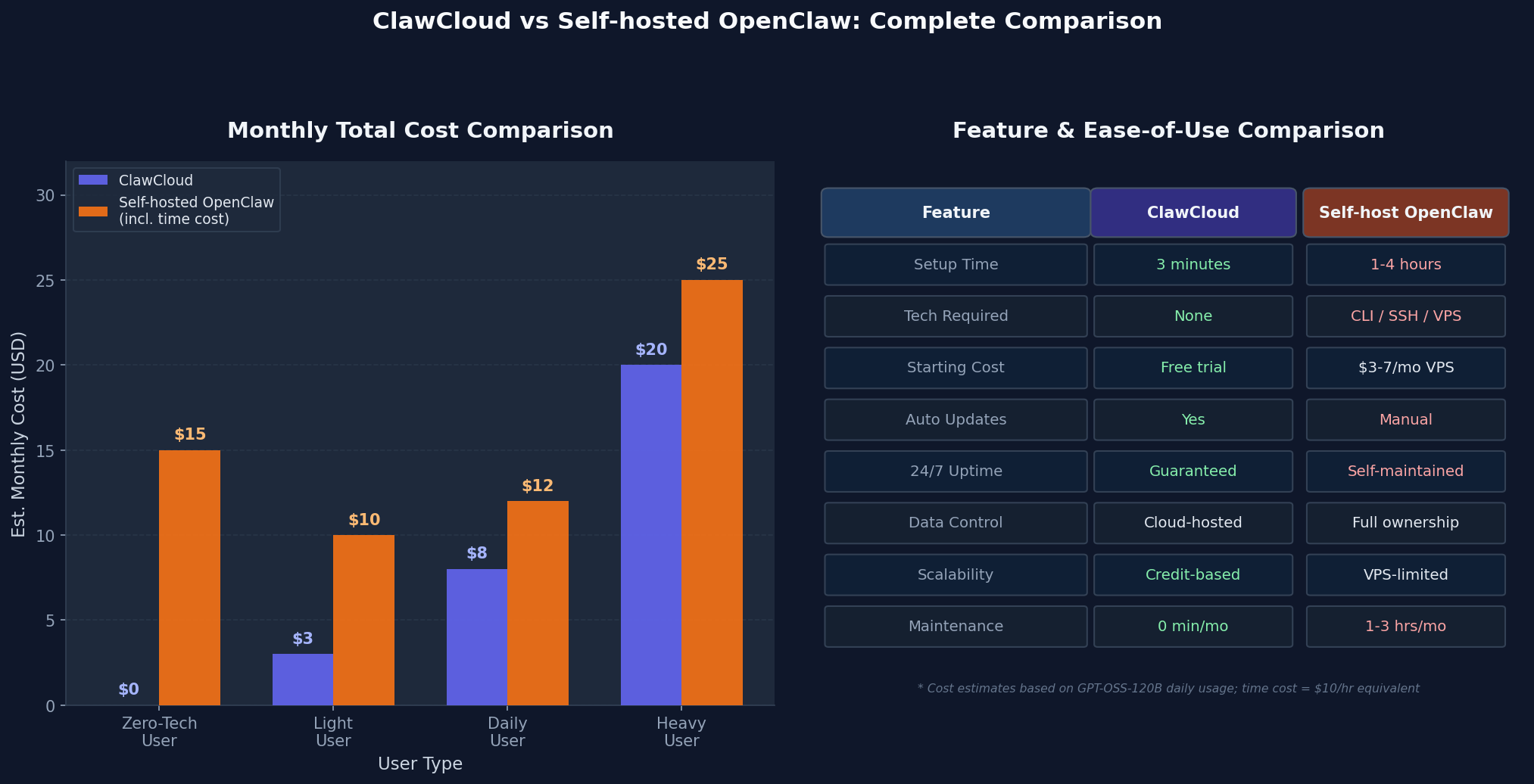
Profile 1: Curious Beginner
- Winner: ClawCloud
- 1,000 free credits, zero setup friction, working AI assistant in 3 minutes
Profile 2: Technical Hobbyist
- Winner: Self-host
- Full control, maximum customization, the tinkering itself is the point
Profile 3: Small Business Owner (LINE customer service)
- Winner: ClawCloud
- 24/7 guaranteed uptime matters when downtime means missed customer messages
Profile 4: Developer Running Multiple Assistants
- Depends: Need deep customization → self-host. Need fast multi-instance deployment → ClawCloud's credit model is more flexible
Decision Framework: Which Should You Choose?
Choose self-hosted OpenClaw if:
- You have Linux/VPS experience and enjoy the process
- Full data sovereignty is a hard requirement
- Your usage volume justifies the technical investment
- You want to experiment with advanced configurations (custom Heartbeat settings, isolated sessions)
Choose ClawCloud if:
- You have no VPS experience and don't want to acquire it
- Your time has real business value
- You need reliable uptime for commercial use (customer-facing chatbots, LINE auto-replies)
- You want to test the concept quickly before investing further
The Bottom Line
Self-hosting OpenClaw can genuinely be cheaper — for technically capable users who are already comfortable with server management and who value the control it provides.
For everyone else, the "cheaper" option quickly becomes more expensive once time, maintenance, and unexpected troubleshooting are factored in. ClawCloud's managed infrastructure means you pay a predictable credit cost and spend zero time on ops.
Try ClawCloud free today — new accounts get 1,000 credits to start, no credit card required → clawcloud.live